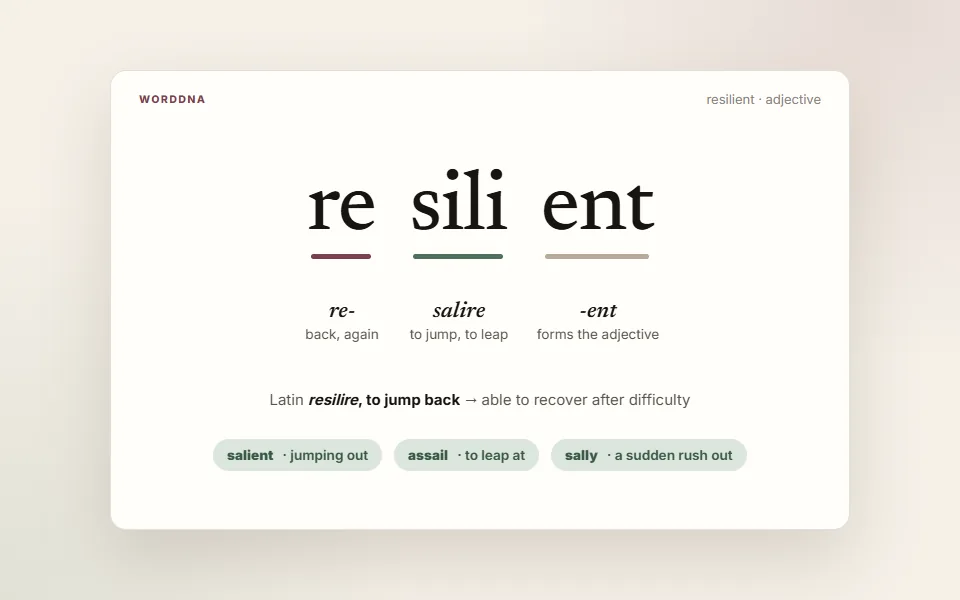
resilient /rɪˈzɪliənt/
Able to recover quickly from difficulty or change.
“The team proved resilient after a rough first quarter.”
Did you remember it? ·
 Stemmy
English vocabulary app for Chrome
Stemmy shows the meaning of the word in the sentence you are reading, not a wall of dictionary senses. Save useful English words with context, explore root words and etymology with WordDNA, and bring them back through Reviews, stories, and everyday reading.
Stemmy is a Chrome extension for your computer. Send yourself the link:
Stemmy is a Chrome extension. Open this page in Google Chrome.
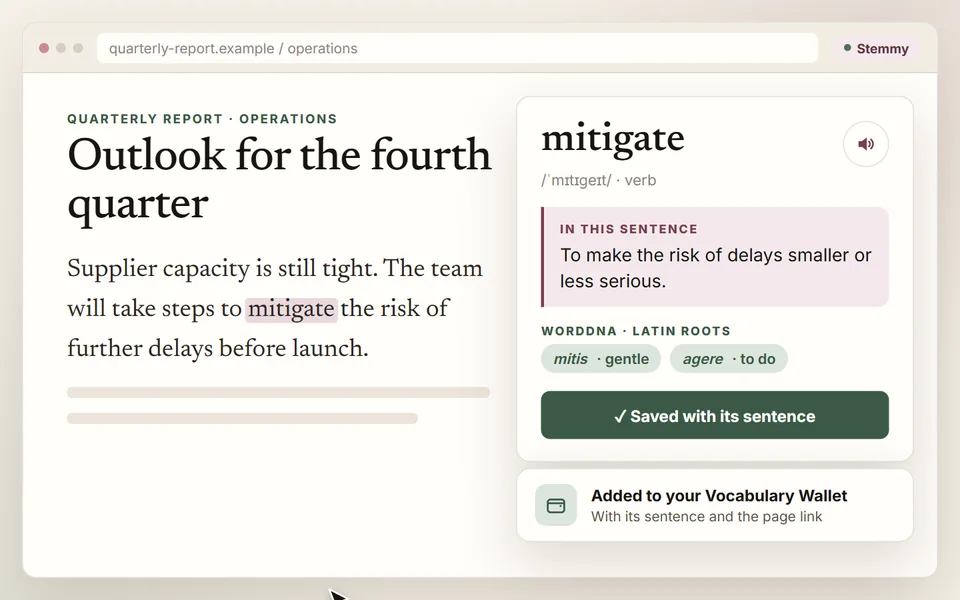
Highlight → understand → save
IllustrationStemmy is a free Chrome extension that shows what an English word means in the sentence you are reading. Highlight a word, click the Stemmy button beside it or press Alt+Shift+D to see the meaning that fits, explore its roots with WordDNA, save it to your Vocabulary Wallet, and bring it back through spaced-repetition Reviews — without leaving the page.
Less collecting. More remembering.
Stemmy keeps discovery and practice connected, so a useful word does not disappear when you close the tab.
Get the meaning that fits the sentence—not a wall of dictionary entries.
Keep the word, meaning, sentence, and source page together in your Wallet.
Use AI Stories and Immersion to see saved words in fresh contexts.
Review due words in short sessions and choose how well you remembered.
See it work
Illustrated previews of the five moments Stemmy is built around. Scroll sideways to see them all.
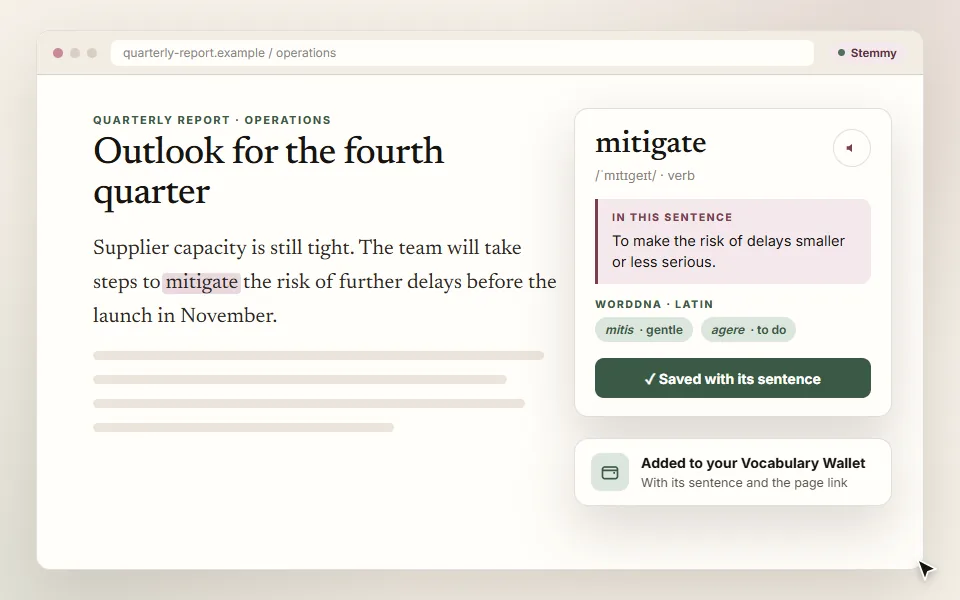
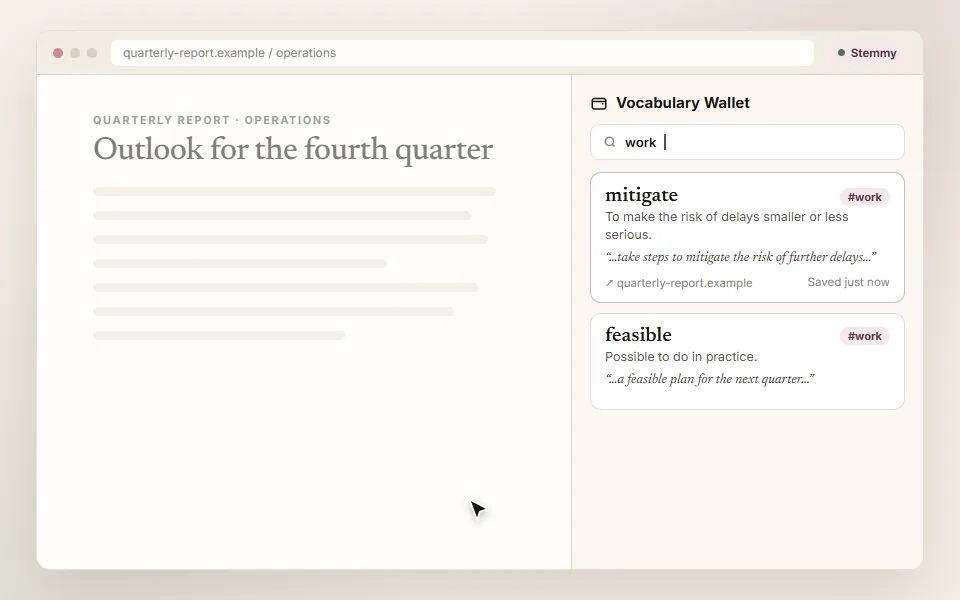
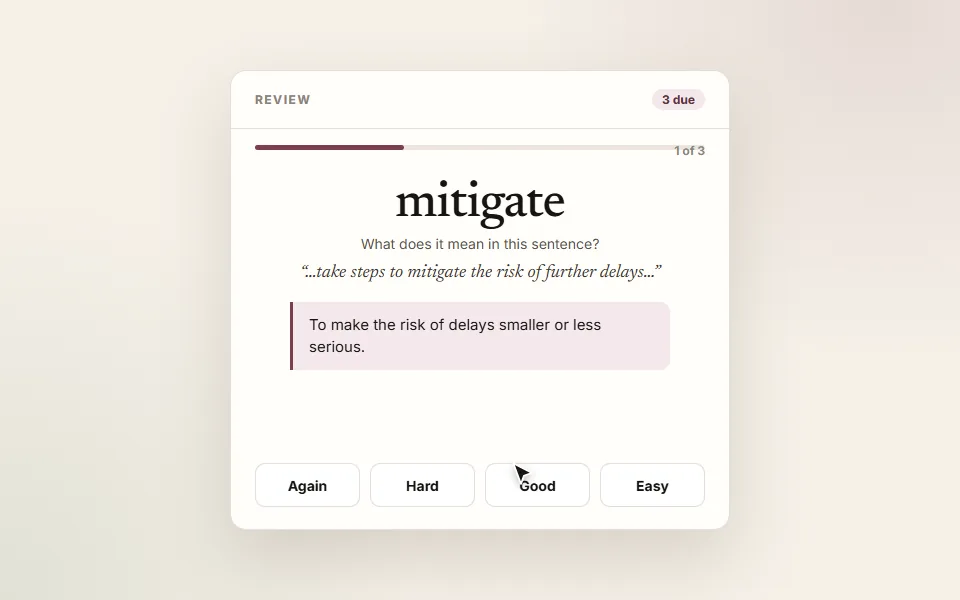
Every saved word has a next step
Search your collection, see what is due, start a short review, or read a story written from your due words, from the side panel or one calm dashboard.
Ready when you are.
resilient
Can you recall the meaning?
A little recall goes a long way.
Able to recover quickly from difficulty or change.
“The team proved resilient after a rough first quarter.”
Did you remember it? ·
Daily · 09:00 · Unsubscribe in one click
Wallet Letters · Optional
Switch it on and Stemmy emails you up to three words that are due for review. Click “Yes, I remembered” or “No, I forgot”, and your schedule is updated before you next open the extension.
Use words, not just lists
AI Stories
Short passages written from the words in your review queue, so each one appears in a fresh context.
Immersion · Optional
Your saved words appear again on pages you read, with one click back to the original text.
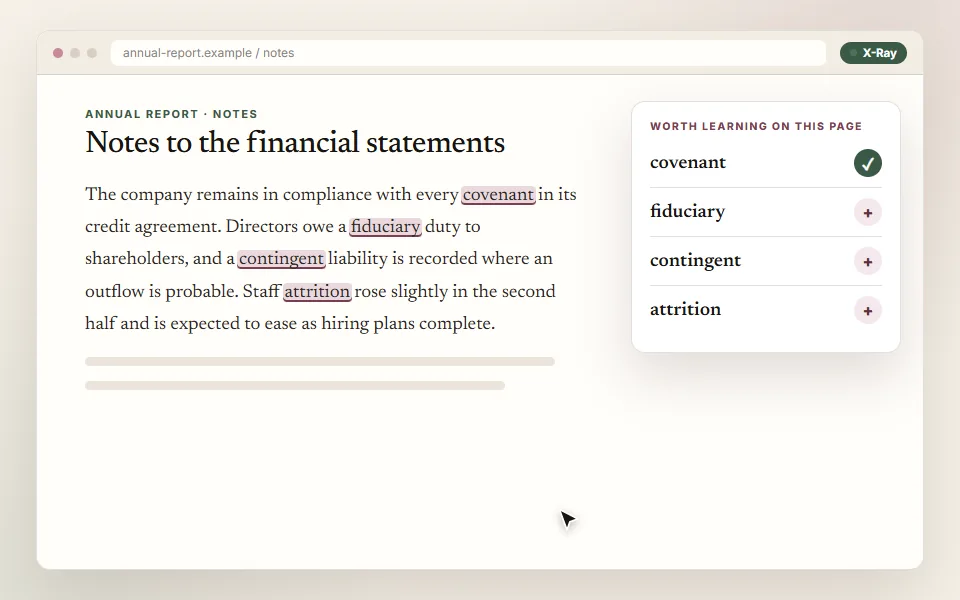
X-Ray
Scan first, choose deliberately, and avoid filling your collection with noise.
Useful by default. Connected by choice.
Your wallet is stored in your browser. A free account unlocks AI meanings, with 150 free AI uses. Sync is optional. Stemmy does not collect general browsing history and does not sell personal data.
Your wallet, reviews and settings live in chrome.storage.local.
For a meaning, the word and the sentence around it go to the AI provider; X-Ray and Immersion send page text only when you start them. Pronunciation runs when you press play, or automatically if you turn that on.
With sync on, your vocabulary, learning state, saved context and source URLs are stored under your account.
Before you add it
Yes. Free to install. No paid plan is offered today. AI features need a free account (Google Sign-In or email). Each account gets 150 free AI uses in total, once; Ghost Card lookups and cloud voice draw on them.
For AI features, yes: Ghost Card meanings and cloud voice need a free account, made with Google Sign-In or email, and each account gets 150 free AI uses in total, once. Your wallet, reviews and settings are stored in your browser either way, and sync across signed-in Chrome browsers is optional.
For a meaning, the word and the sentence around it. For X-Ray and Immersion, text from the page you started them on. Pronunciation runs when you press play, or automatically if you turn that on; your browser's own voice is the fallback.
In your browser (chrome.storage.local), with your reviews and settings. If you switch sync on, your vocabulary, learning state, saved context and source URLs are also stored under your account, so they follow you across signed-in Chrome browsers.
An optional email with up to three of your due words, daily, every other day or weekly, at the hour you choose. Each word has "Yes, I remembered" and "No, I forgot" links; clicking one records the answer and reschedules the word, so it is already updated when you next open Stemmy. Letters need a free account, are off by default, and every one has a one-click unsubscribe.
Yes. You can export the whole wallet as a JSON file and import it again.
Select a word and click the small Stemmy button that appears beside it, or press Alt+Shift+D. You can also click the Stemmy icon in the toolbar with a word selected. The card shows the meaning that fits the sentence; "More about this word" adds synonyms and WordDNA roots.
Ready when curiosity strikes
Give it a place to grow.
Stemmy is a Chrome extension for your computer. Send yourself the link:
Stemmy is a Chrome extension. Open this page in Google Chrome.